
Your guests. Your data. Your server.
RSVP System / WordPress PluginRSVP
Project overview
STATUS: LIVE — WordPress Plugin (Self-Hosted)
The Problem
Event RSVP management exists on a spectrum that has gotten worse, not better, as more options have appeared. At one end: spreadsheets and Google Forms — free, familiar, and genuinely inadequate once you're tracking dietary restrictions, sending personalized invitation emails, and trying to remember which household responded and which hasn't. At the other end: dedicated wedding platforms like Zola, The Knot, and their competitors. Those platforms work, after a fashion, but they come with trade-offs that rarely get discussed until the couple is already committed to them. Your guest list lives in their database. Your invitations come from their domain. Your RSVP page carries their branding. And the data — the contact details, dietary information, and response records of everyone you've invited to one of the most significant events of your life — belongs to their infrastructure, not yours.
For event hosts who already have a WordPress website, this is an odd arrangement. The site exists. The hosting is paid for. The domain is theirs. But the RSVP workflow is being outsourced anyway, because no one wants to build what a working RSVP system actually requires: invitation management, per-household invite codes, multi-step forms with dietary tracking, automated email sequences, a seating chart, and a reporting layer that makes sense at 11:00 PM two weeks before the event.
That gap — between having a website and having a working RSVP system on that website — is what this plugin closes.
The Solution
The RSVP System is a WordPress plugin that implements the complete guest communication and management workflow inside a standard WordPress installation. No third-party platform, no monthly fee, no guest data leaving the host's server.
The architecture is built around the household as the unit of invitation. Each household receives a unique invite code — generated automatically — that unlocks their personalized RSVP form. The form is multi-step: entry, attendance selection, per-guest details and dietary preferences, an optional message to the host, and a review screen before submission. The same code can be re-entered at any time before the RSVP deadline to update a response. When the deadline passes, the form closes automatically.
On the admin side, the plugin provides a complete management layer: a Households view for tracking invitation status and entering RSVPs by phone or in person; a Guest List with inline editing; a drag-and-drop Seating Chart; a Reports page with attendance totals, dietary breakdowns, a pending household list, and — critically — a failed email delivery report that surfaces bad or missing addresses before they become a problem the week before the event.
The email system handles seven distinct types of communication: invitation, confirmation (attending), confirmation (declined), host notification, warm follow-up, automated reminders at configurable intervals, and manual one-off reminders. Invitation emails include the event date, formatted start and end time, and venue information in a structured detail block — automatically, without any template editing. Every email type is fully customisable through the settings panel. The follow-up delay is configurable: two minutes by default, up to twenty-four hours.
All appearance settings — font pairing, header colour, accent colour, background colour — apply consistently to both the RSVP form and every email template, so the guest experience looks intentional rather than assembled.
Who Uses It
Anyone planning an event who already has a WordPress website and does not want to manage their guest list on someone else's platform. The primary use case is weddings, but the Event Type setting supports anniversaries, birthday parties, engagement parties, baby showers, rehearsal dinners, and any custom designation — so the plugin is not tied to a single occasion type. It requires no coding to set up and no ongoing subscription to maintain.
What Changed
The most significant shift is ownership. When an RSVP system runs on your own server, the data stays there — it is not aggregated, monetized, or retained by a third-party platform after the event. For hosts who care about that, it matters. For hosts who had not thought about it, it is at minimum a cleaner arrangement.
The second shift is operational. Managing RSVPs across a spreadsheet and a third-party form means reconciling two sources of truth: the list you maintain and the list the platform holds. The plugin eliminates that gap. Invitation status, RSVP status, dietary restrictions, seating assignments, and email history are all in the same system. When someone calls to change their attendance after submitting online, the admin can make the change in the same interface that sent the original invitation. When an email bounces, it appears in the Reports page alongside the household it belongs to and a direct link to correct it.
The third shift is less obvious but worth naming: the invitation email, for the first time, actually looks like it came from the couple rather than from a platform. The event date and time, the venue, and the invite code arrive in a single email that carries the host's branding, from the host's domain, with no platform watermark. That is a small thing, but it is the kind of small thing that accumulates into whether an event feels considered or assembled.
Key elements:
- Household-based invitation model with unique per-household invite codes.
- Multi-step RSVP form with per-guest dietary tracking and deadline enforcement.
- Invitation emails include event date, start/end time, and venue — automatically.
- Seven email types with fully customisable wording, fonts, and colours.
- Configurable follow-up email delay (1 minute to 24 hours).
- Bulk invitation and reminder sending from the admin panel.
- Drag-and-drop seating chart with capacity tracking.
- CSV/Excel import for guest lists; flexible column mapping.
- Failed email delivery report in the Reports page.
- All guest data stays on your own server.
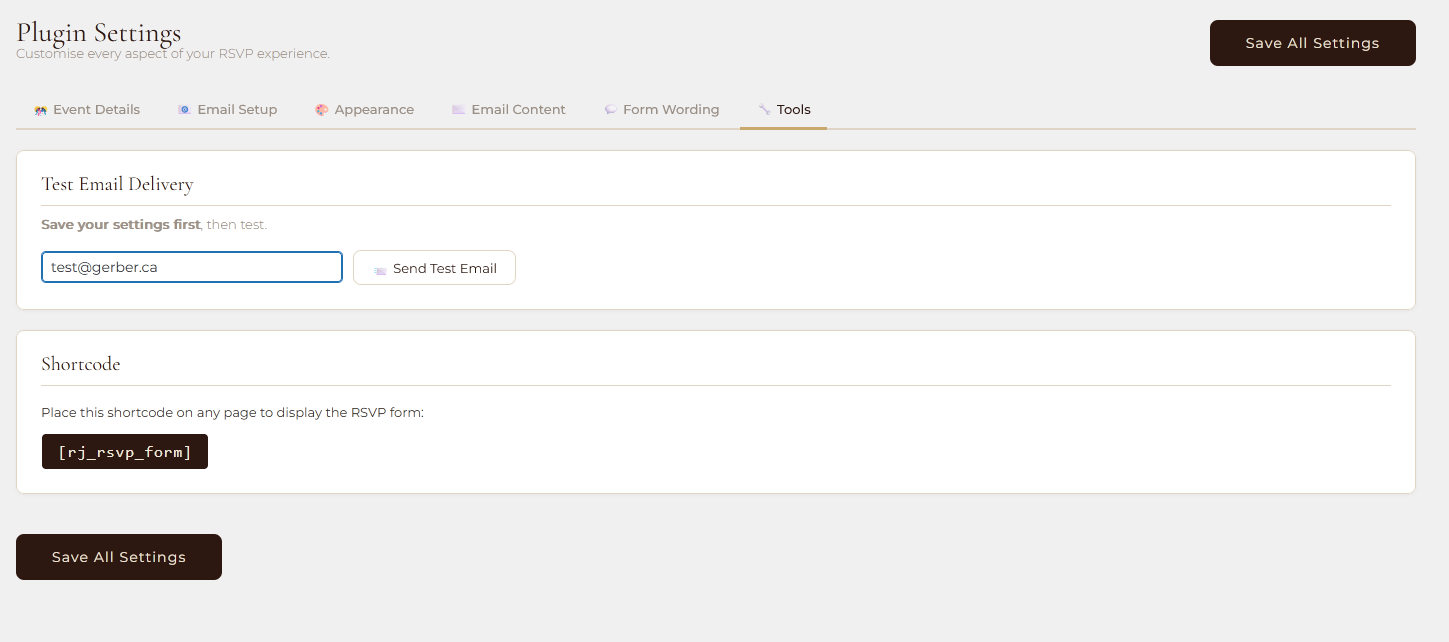
Tools
Send a test email to verify your delivery configuration is working, and reference the shortcode needed to place the RSVP form on any page.
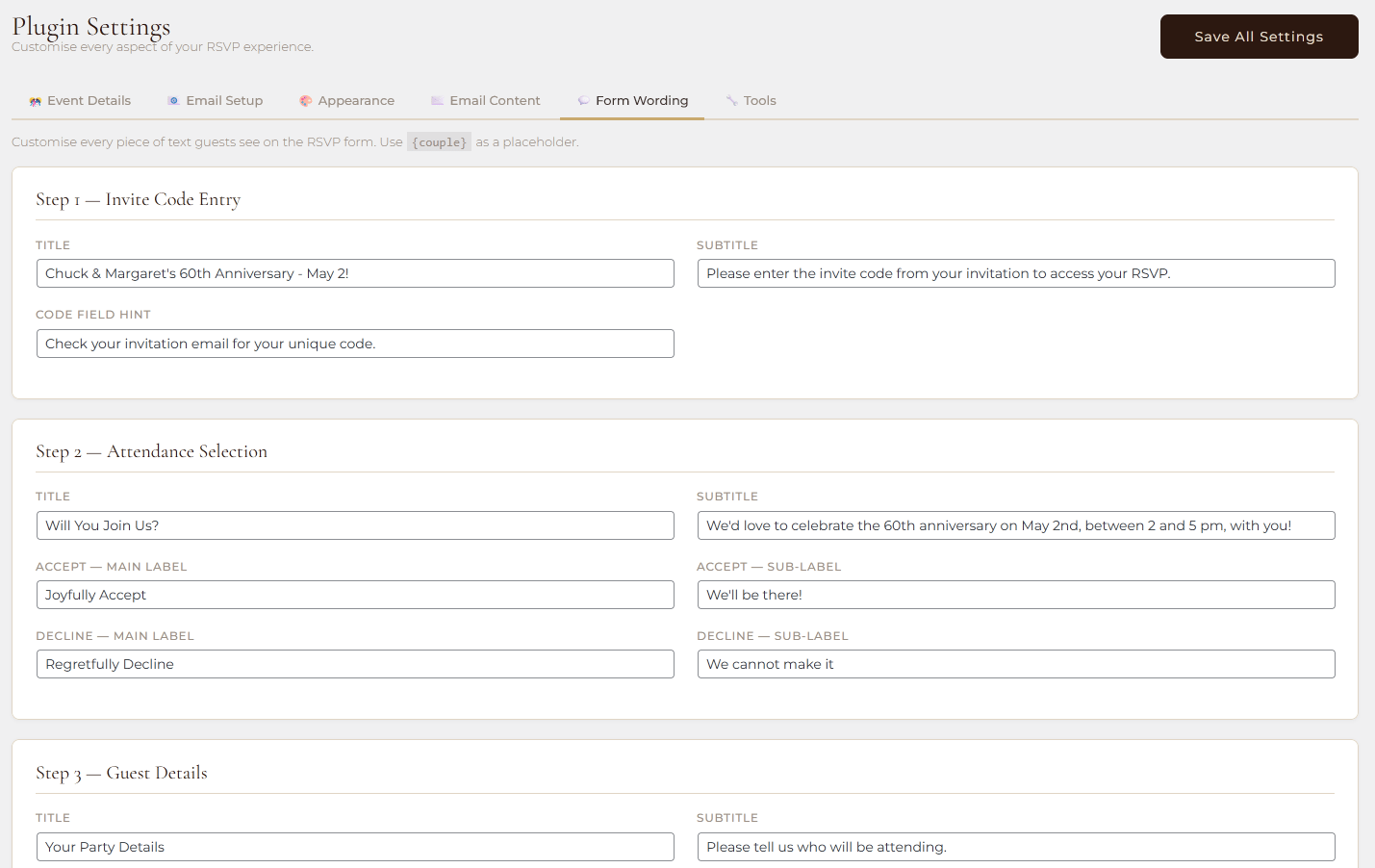
Form Wording
Edit every piece of text a guest sees on the RSVP form, from step titles and button labels through to the dietary restrictions field label and the final success message.
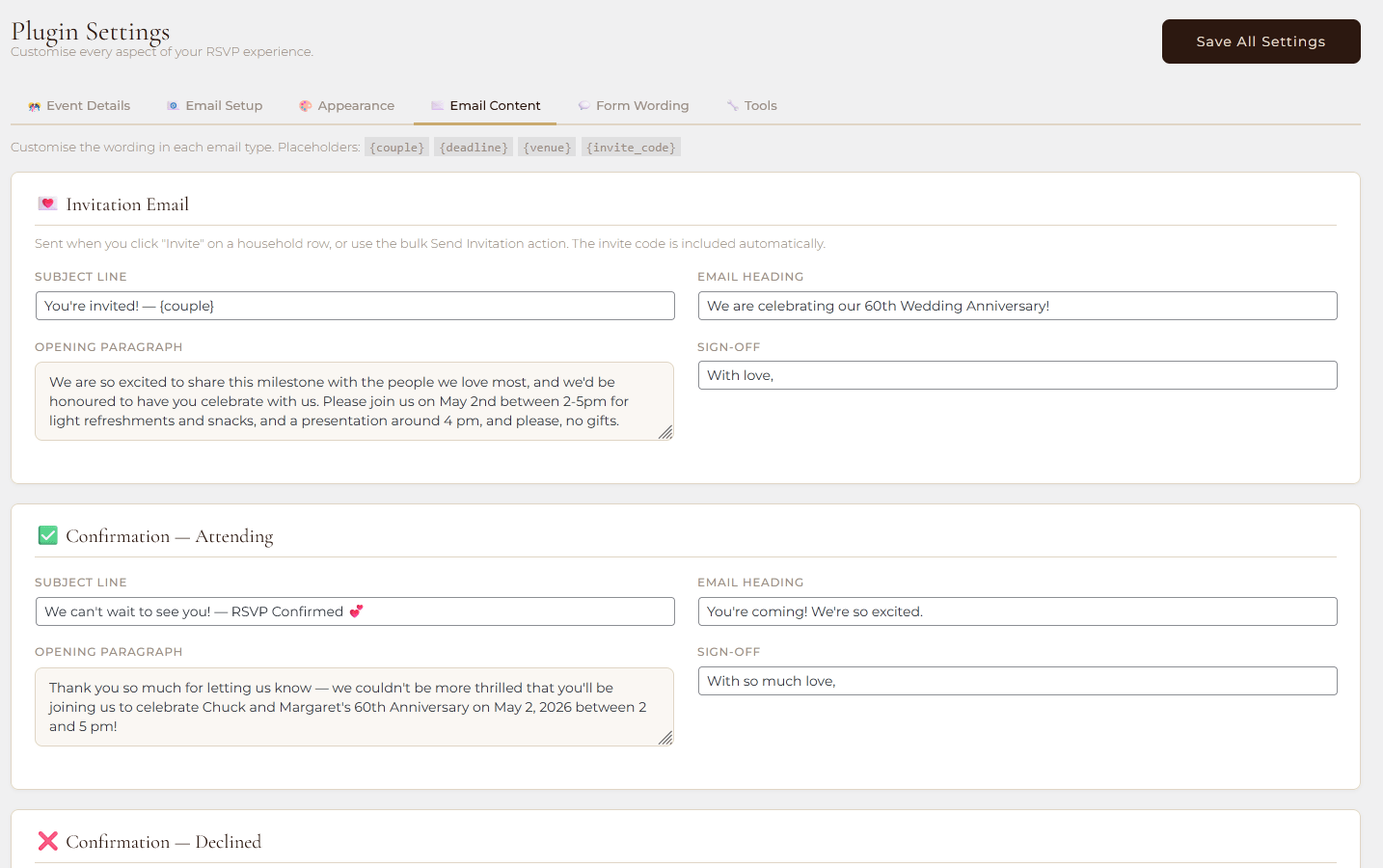
Email Content
Customise the subject line, heading, body text, and sign-off for each of the five guest-facing email types: invitation, attending confirmation, declined confirmation, reminder, and warm follow-up.
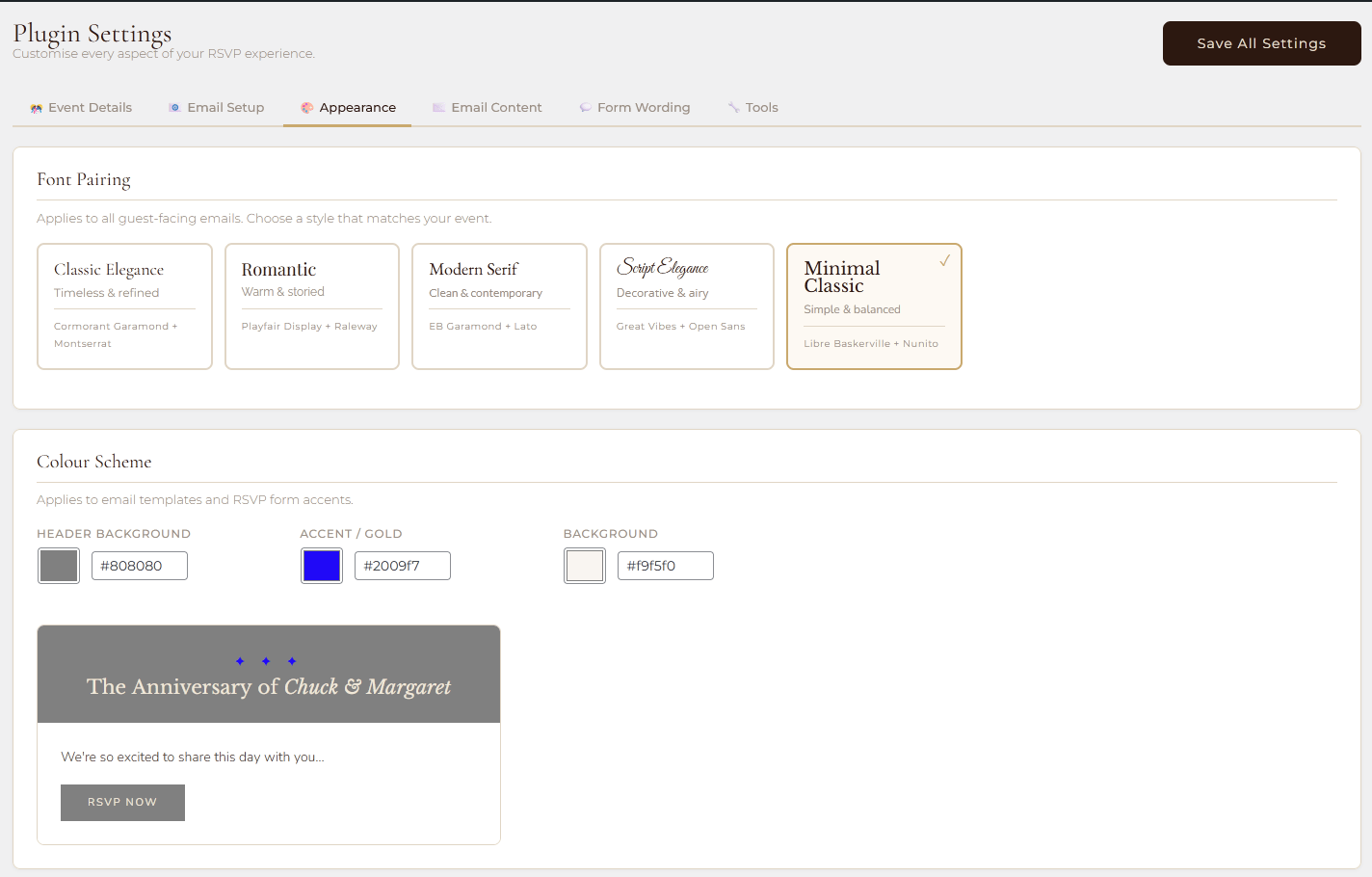
Appearance
Choose a font pairing and colour scheme that applies consistently to both the guest-facing RSVP form and every outgoing email template, with a live preview.
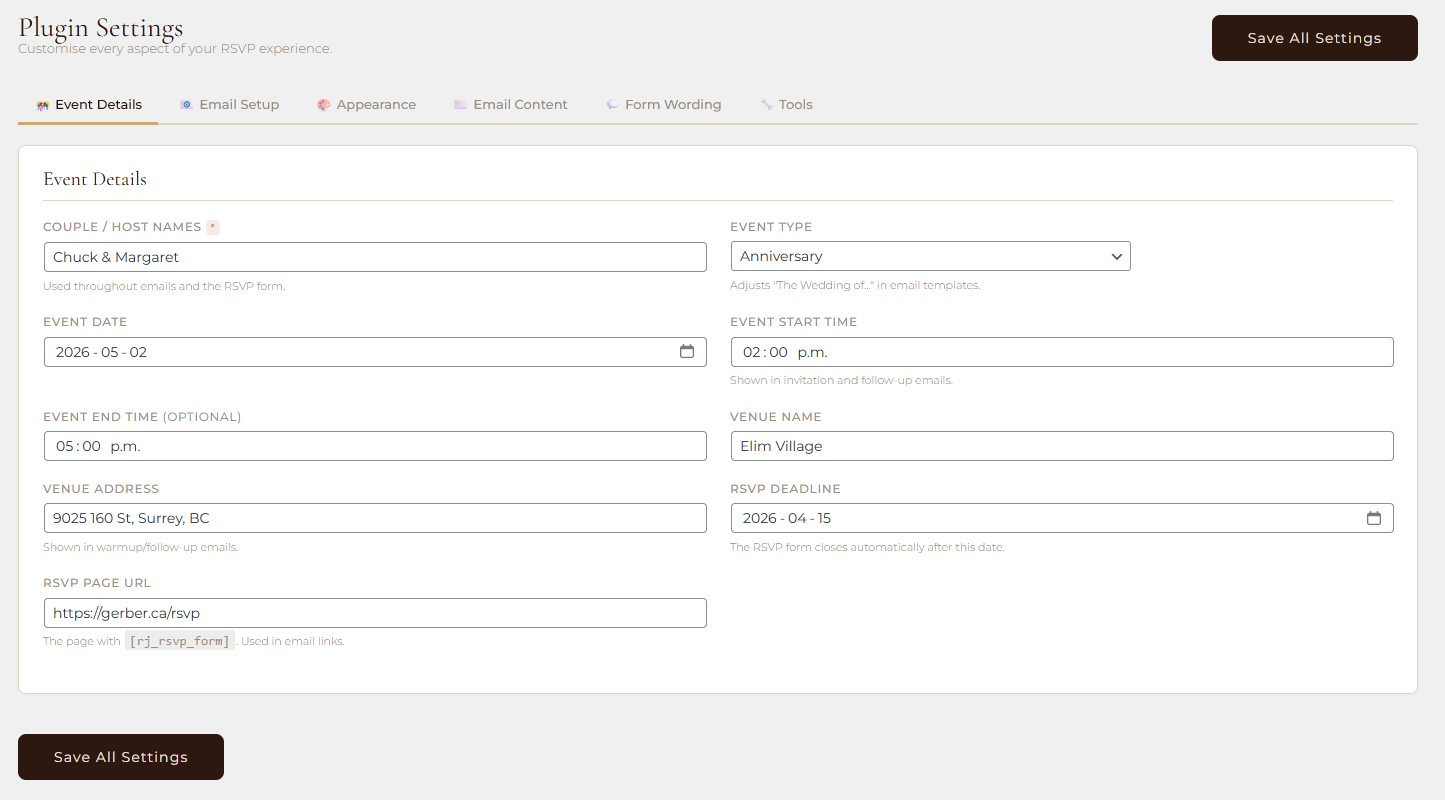
Event Details
Set the foundational information about your event — host names, event type, date, start and end times, venue, RSVP deadline, and the URL of your RSVP page — that flows through every email and form automatically.
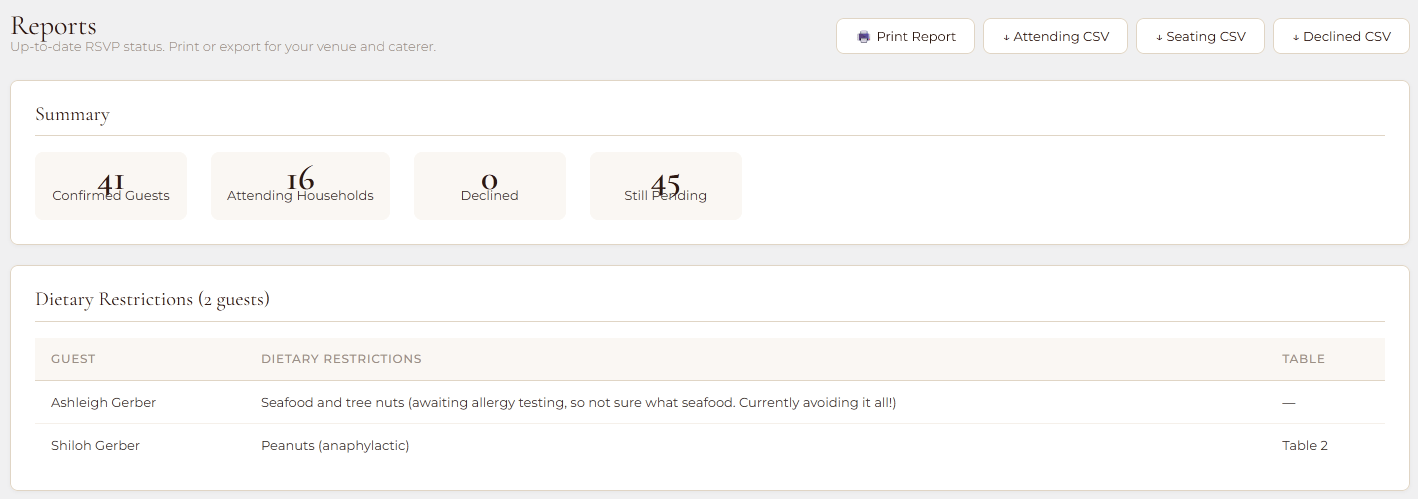
Reports
A printable summary of attendance figures, dietary breakdowns, pending households, and any failed email deliveries that need attention.
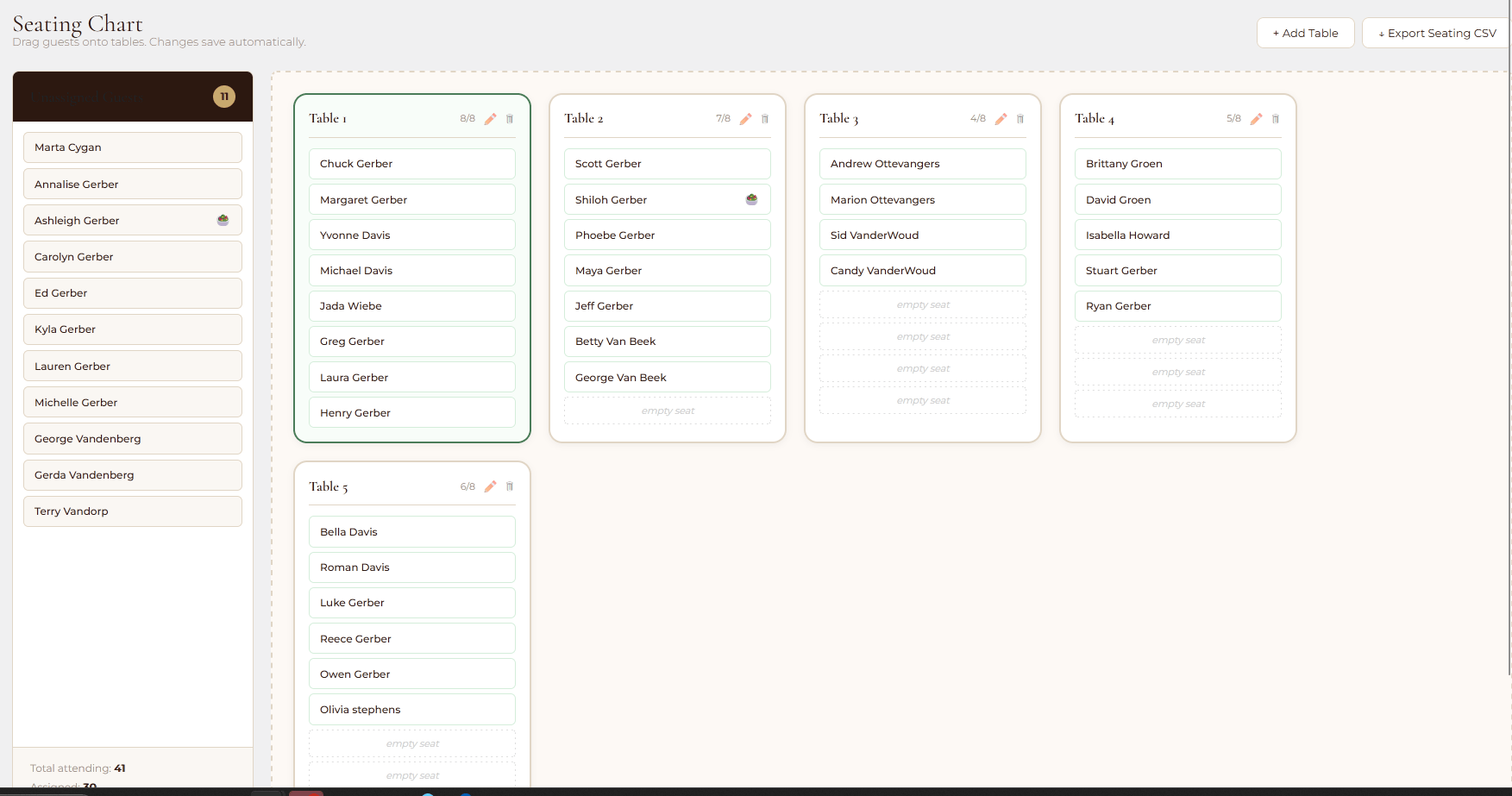
Seating Chart
A drag-and-drop visual layout tool for assigning confirmed guests to named tables with real-time capacity tracking.
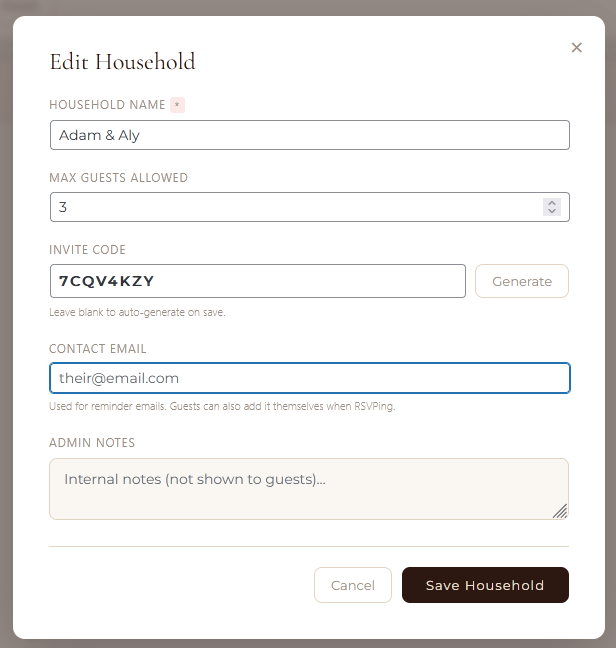
Household add or edit
If you choose not to upload a csv, enter a household manually.
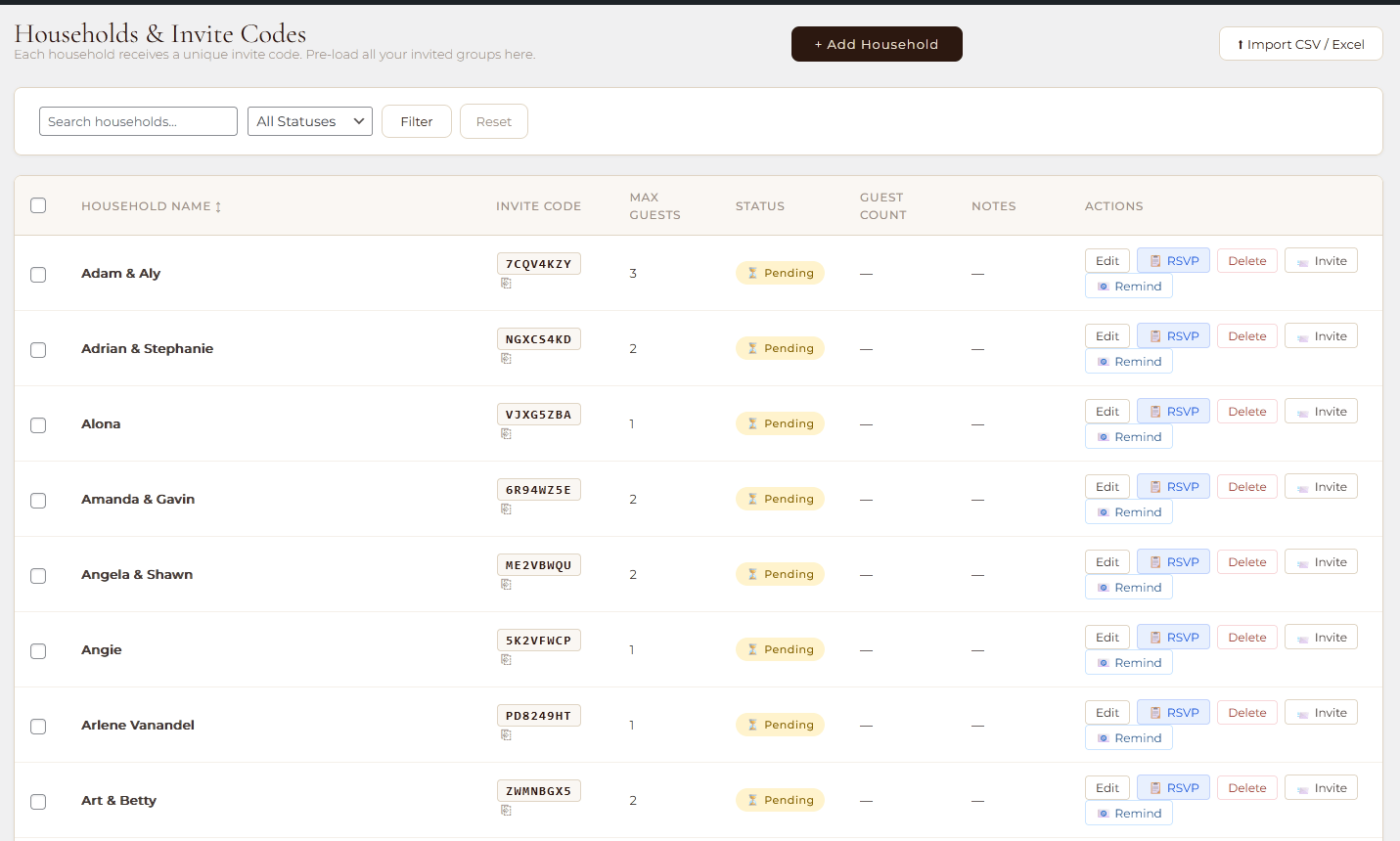
Households
The master guest list where you add, edit, and track every invited household, send invitations and reminders, enter RSVPs on behalf of guests, and manage bulk email actions.
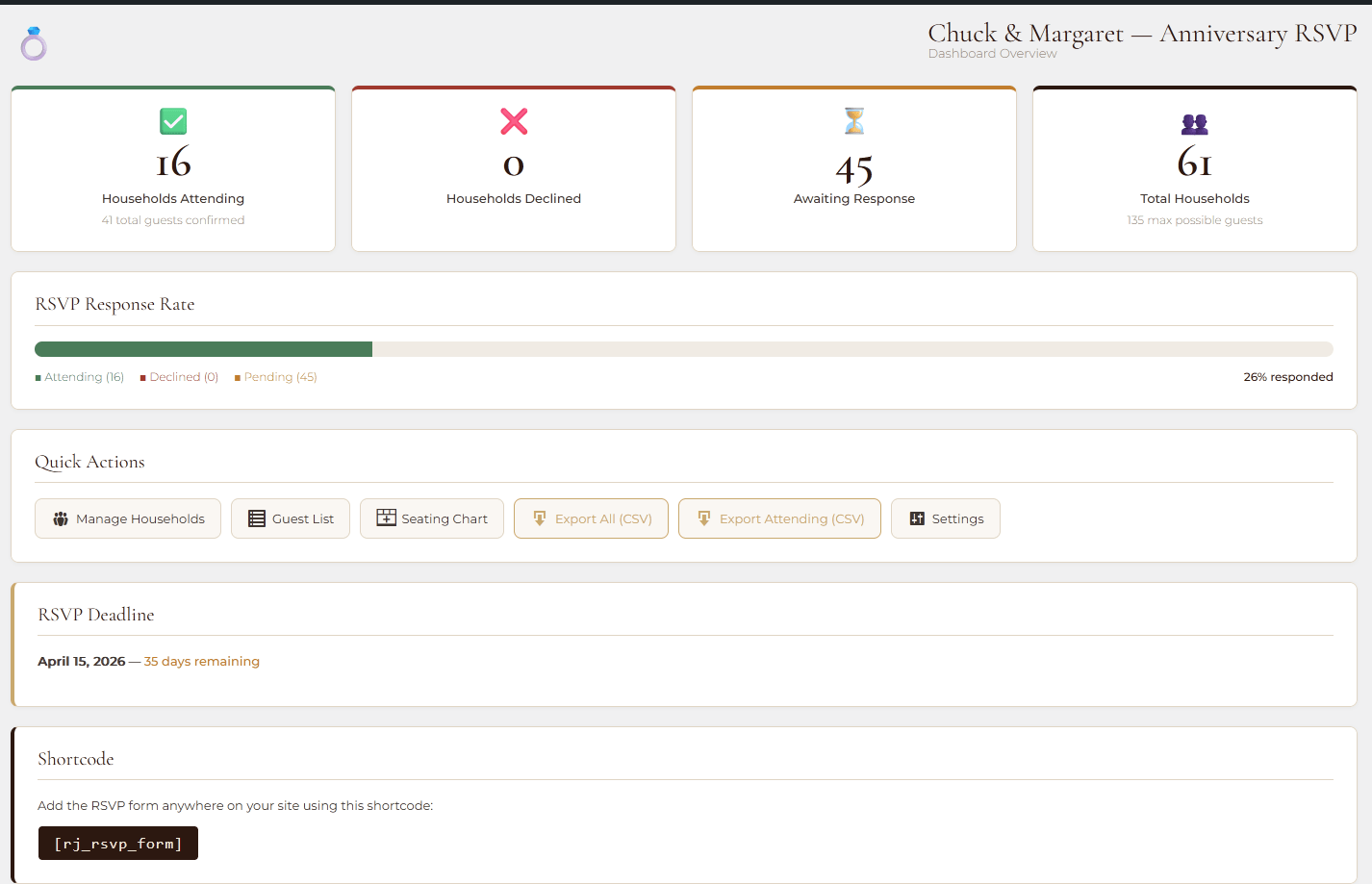
Dashboard View
A real-time snapshot of RSVP progress showing attendance totals, recent responses, and a quick-glance summary of where things stand across all households.
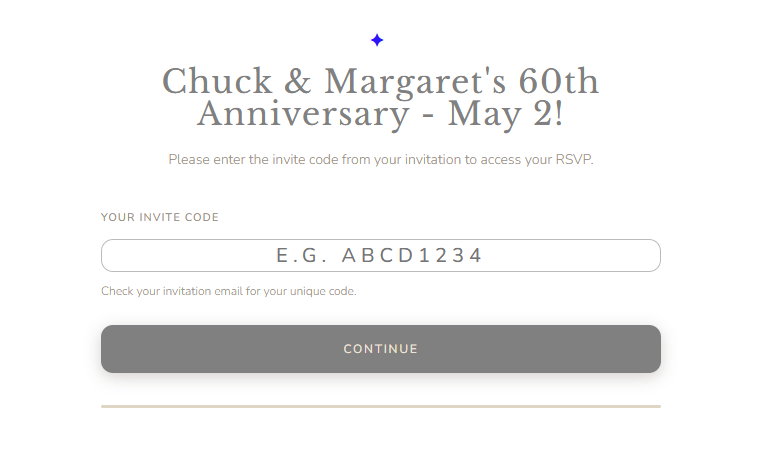
RSVP Shortcode Display
Based on the configured settings, event type, etc. All locked behind unique household codes.
Video Demo
06

0 Comments